Joblumi for Chrome: save jobs, check your fit, fill forms
Open a job ad, click Lumi in your toolbar, and the ad lands on your Joblumi board. A side panel shows how well your CV fits and which German level the ad asks for. On application forms, it fills in your details and attaches your CV. You check and send.
What the extension does
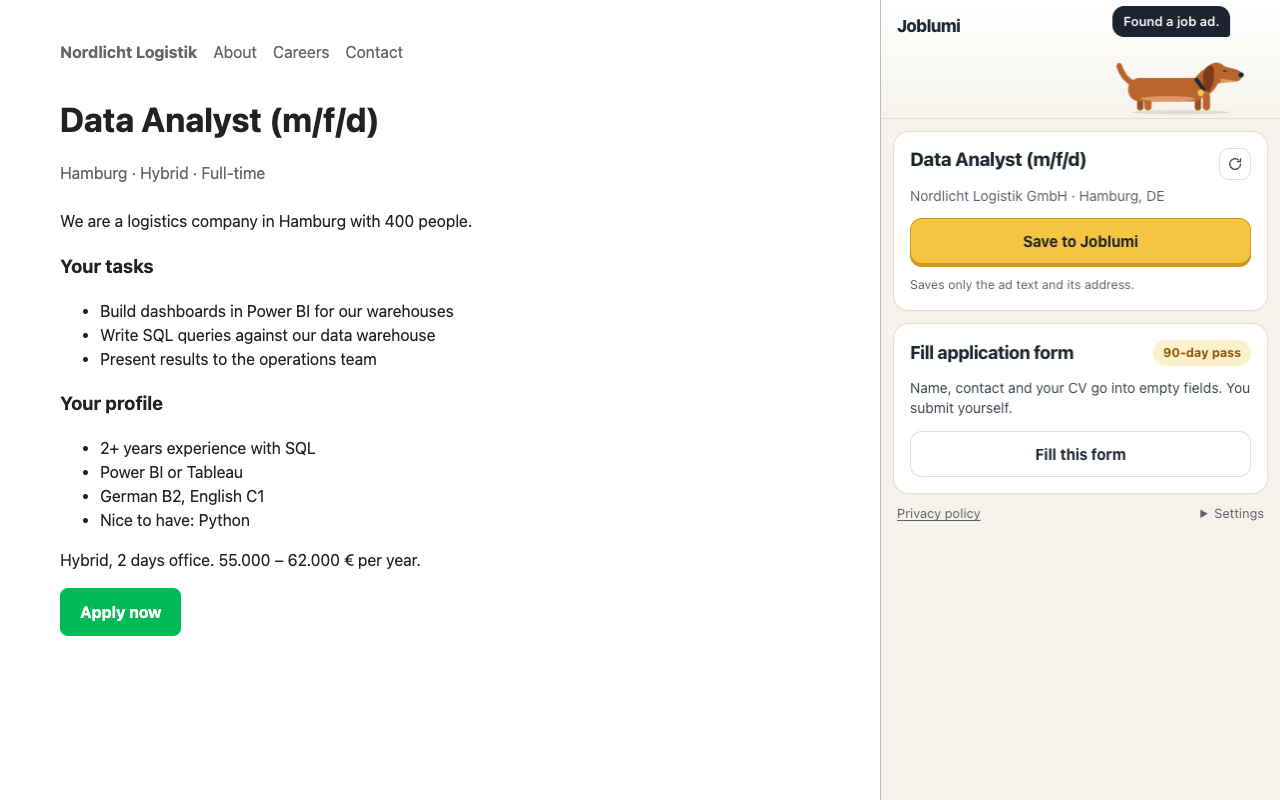
Save a job in one click
Click the Joblumi icon on a job ad and press “Save to Joblumi”. The title, company, city, requirements and the German and English level the ad asks for go to your board. It works on company career pages, applicant tracking systems such as Personio and d.vinci, and most job boards. Open an ad you saved before and the panel shows where it stands: saved, applied, interview, and when a follow-up is due.
See how well your CV fits
The quick check compares your CV with the ad: a fit from 0 to 100, what is missing in your CV, what is only partly there, and the language level asked for. It is written with AI support, so check every line before you rely on it. You decide whether to apply.
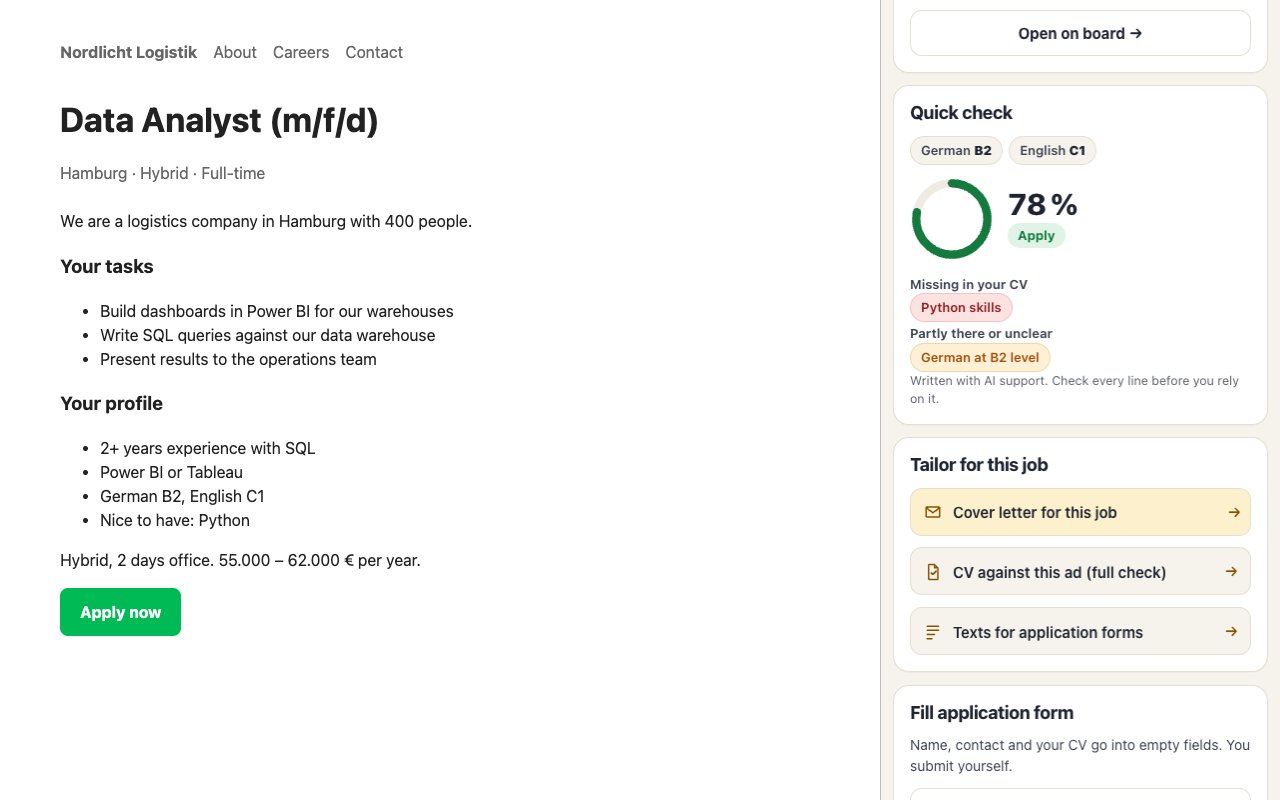
Tailor your CV and cover letter for this job
From the panel you open Joblumi with this job already selected: your cover letter for this job, or the full check of your CV against this ad. The writing happens in Joblumi, not in the extension.
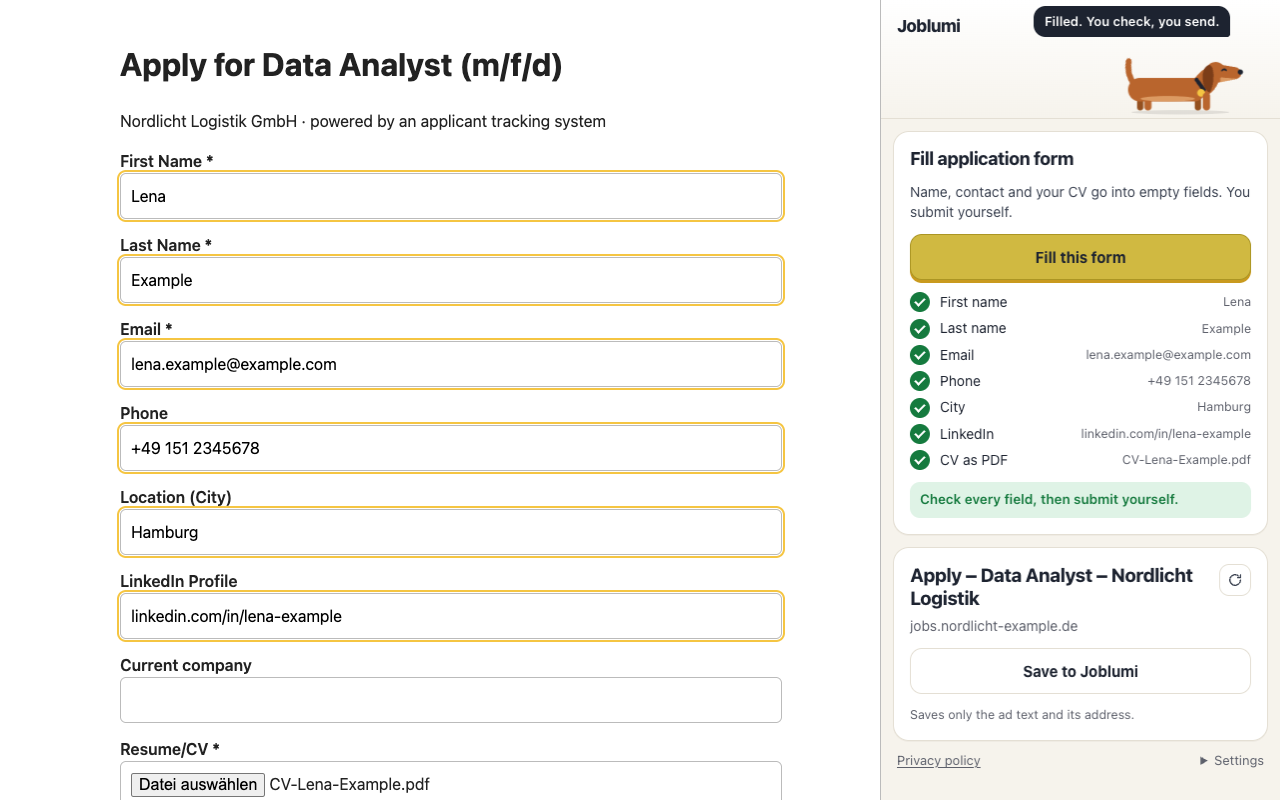
Fill application forms
On an application form, press “Fill this form”. Joblumi puts your name, email, phone, city and LinkedIn profile into the empty fields and attaches your CV as a PDF. Fields you already filled stay as they are. It works on forms from Personio, d.vinci, Greenhouse, Lever and other applicant tracking systems.
Joblumi never submits anything. You check every field and send the application yourself. It never answers questions about salary, gender, origin or disability; those answers are yours.
How to start
- Add the extension from the Chrome Web Store. It needs Chrome on a laptop or desktop.
- Sign in to Joblumi once in a tab. No account yet? Start free.
- Open a job ad and click Lumi in your toolbar, or press Alt+Shift+J.
What is free
| Feature | Free account | With a pass |
|---|---|---|
| Save jobs to your board | yes | yes |
| “Already saved?” status on the ad | yes | yes |
| Quick check of your fit | your first check | yes |
| Fill application forms | no | with the 90-day pass |
The pass is one payment for 30 or 90 days, with no subscription. See pricing
Your data and the permissions, in plain words
The extension reads a page only when you click its icon, and only the tab you have open. When you press “Save to Joblumi”, it sends the text of the ad and the page address to your own Joblumi account. Nothing else.
- No browsing history. It doesn’t watch which pages you visit and doesn’t run in the background.
- No ads, no tracking, nothing sold. Your data is used only for your job search in Joblumi.
- Your details stay in your account. For form filling, it takes your name, contact details and CV from your Joblumi account and puts them into the form on your screen, only after you click.
What Chrome asks you to allow, and why:
| Permission | Why Joblumi needs it |
|---|---|
| Read the current tab after you click (activeTab, scripting) | To read the job ad you want to save and to fill the form you are looking at. Only after your click, only that tab. |
| Side panel | To show Joblumi next to the ad, so you can keep reading it. |
| Storage | To remember your Joblumi sign-in for the extension, your app language and the tab you clicked. No page content. |
| joblumi.com | To talk to your own Joblumi account. |
The sign-in for the extension is its own key, valid for 30 days, and you can revoke it. Details are in our privacy policy.
Questions people ask
Is the Joblumi extension free?
Yes. Saving jobs and seeing their status are free with a free Joblumi account, and your first fit check is free. More checks are part of the pass. Filling application forms is part of the 90-day pass.
Chrome says the extension is “not trusted by Enhanced Safe Browsing”. Is it safe?
Chrome shows this notice to people who use Enhanced Safe Browsing when an extension comes from a new developer. It doesn’t mean Google found a problem: Joblumi passed the Chrome Web Store review. The notice goes away once the developer has been in good standing for a few months. You can read exactly what the extension may do in the table above.
Does Joblumi send my application for me?
No. It fills in the fields and attaches your CV. You check everything and press send yourself.
Which sites does it work on?
Company career pages, applicant tracking systems such as Personio, d.vinci, Greenhouse and Lever, and most job boards. Some sites build their pages in an unusual way; if Joblumi can’t read an ad, select the text of the ad and click the icon again, or paste the ad into Joblumi.
Does it work on my phone or in other browsers?
No. Chrome extensions run in Chrome on a laptop or desktop. On your phone, add a job in Joblumi by pasting its link or text.
Is the extension in German too?
The extension speaks English. If you chose German in Joblumi, it switches to German.
How do I remove it?
Right-click the Joblumi icon in Chrome and choose “Remove from Chrome”. Your saved jobs stay on your board.